Core Principle of Multi-Page Support in Lightweight Customer Service Tools
SME websites typically include multiple pages such as the homepage, product pages, case studies, and contact page. The key to achieving unified cross-page reception with lightweight customer service tools lies in embedding a universal code (JavaScript snippet) across all pages and using visitor identifiers (such as cookies or device IDs) to maintain session continuity. When a visitor navigates from page A to page B, the conversation does not break, and the agent can see the visitor's browsing history and past messages.
Universal Code Deployment Method
Most mainstream lightweight customer service systems offer a "website integration" feature that generates an HTML/JavaScript script. Businesses simply copy and paste this code before the </body> tag on each page to display the customer service entry across all pages. Steps:
- Obtain the embed code from the customer service backend.
- Add it via the website backend's "global footer" or template files.
- If using a SaaS website builder, paste it directly into the "code injection" module.
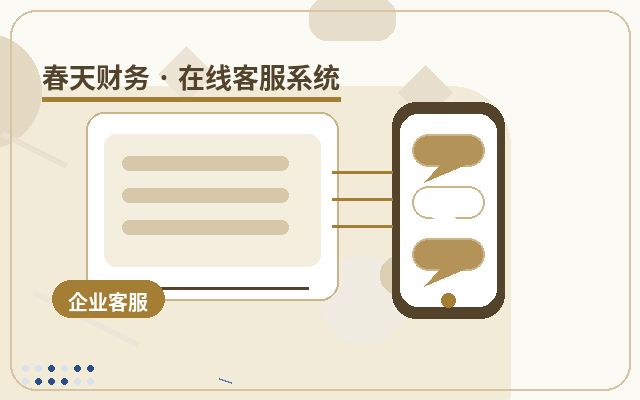
This method requires no separate configuration for each page—one deployment covers the entire site.
Cross-Page Session Persistence Mechanism
Lightweight tools typically use the following technologies to enable multi-page support:
- Local storage (localStorage/sessionStorage): Stores visitor identifiers, conversation IDs, and other data.
- Cookies: Shared across the domain for cross-page recognition.
- WebSocket or long polling: Maintains real-time communication, allowing message reception even during page switches.
When a visitor clicks the customer service icon to start a chat, the tool generates a unique session ID. When switching pages, the new page reconnects to the server using the same ID, and the agent sees the same visitor.
Typical Configuration Scenarios
- Floating icon across the entire site: A customer service button fixed in the corner, visible on all pages, that opens a popup or chat window when clicked.
- Embedded on specific pages: You can choose to display it only on certain pages (e.g., product detail pages or checkout pages) by setting a whitelist or blacklist in the code.
- Multi-domain support: If your business has multiple subdomains (e.g., www.example.com, shop.example.com), check whether the tool supports cross-domain sessions. Some lightweight tools require separate code deployment on each domain and unified identity verification.
Important Considerations
- Loading performance: Although the code for lightweight tools is usually small, ensure it does not slow down page loading.
- Popup interference: Set reasonable trigger conditions (e.g., after 5 seconds of stay or after scrolling a certain distance) to avoid popups appearing immediately upon page entry.
- Data privacy: Ensure HTTPS transmission and comply with relevant privacy regulations.
- Mobile adaptation: Test display and functionality on mobile browsers.
Frequently Asked Questions (FAQ)
Q: Do lightweight customer service tools support multi-page on mobile devices?
A: Generally, yes. As long as the mobile browser allows JavaScript and the visitor switches pages within the same browser, the session persists. However, if the visitor closes the browser or clears the cache, the session will be interrupted.
Q: How can agents know which page the visitor is viewing?
A: Most tools automatically send the "visitor's current page URL" to the agent. Some tools also allow setting "page event tags," such as "viewing product A detail page," to help agents provide more targeted service.
Q: Does the free or basic version support multiple pages?
A: Most lightweight customer service tools' free versions support basic multi-page embedding, but may have limitations on conversation volume, agent seats, or history message retention days. Choose a plan based on your actual needs.
Summary and Recommendations
When selecting a lightweight customer service tool for an SME website, focus on its multi-page support capabilities, including ease of code embedding, true session continuity, and cross-domain support. It is advisable to register for a trial version and test switching between multiple pages to ensure the agent can accurately capture the visitor's browsing path. Additionally, set the customer service icon style and popup rules appropriately to enhance user experience without causing disruption. If your website has special requirements (e.g., single-page applications or dynamically loaded content), consult the tool provider for a customized deployment solution.