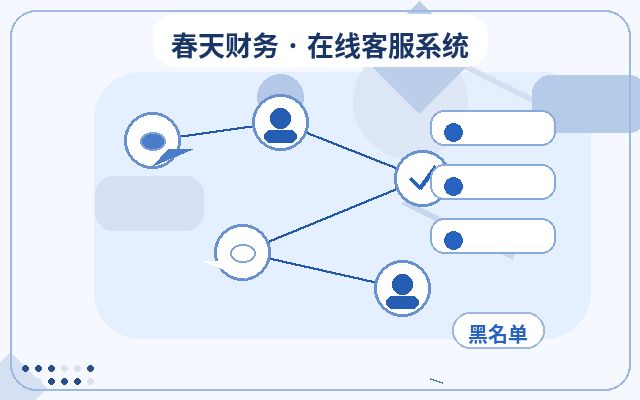
What Unlimited Agent Seats Mean
Marketing websites with 'unlimited agent seats' allow businesses to add as many customer service agents as needed without worrying about seat limits. This provides flexibility for growing businesses or those with fluctuating inquiry volumes. However, as the number of agents increases, how to reasonably allocate, schedule, and manage them directly impacts customer experience and operational efficiency.
Common Approaches to Agent Arrangement
1. Group by Business Type
Divide the customer service team into groups based on business modules, such as pre-sales inquiries, after-sales support, and complaint handling. Each group is assigned a certain number of agents with different reception rules. When a customer visits the marketing website, the system automatically routes the conversation to the appropriate group based on the inquiry category or source page. This ensures each agent handles familiar tasks, improving first-contact resolution rates.
2. Flexible Shift Scheduling by Time
Analyze historical inquiry data to identify daily and weekly peak visitor hours. For example, workday mornings from 10 AM to 12 PM and afternoons from 2 PM to 4 PM may be high-traffic periods. Schedule more agents during these times and fewer during off-peak hours. Use the online customer service system's workday and non-workday settings to automatically switch online status and auto-replies. With unlimited seats, businesses can hire part-time or remote agents to cover peak periods.

3. Skill Queues and Agent Tags
Assign skill tags to each agent, such as 'Product A Expert,' 'Order Processing,' or 'Technical Support.' Create skill queues in the customer service system. When a customer asks a specific question, the system prioritizes assigning an agent with the matching skill to that conversation. Even with unlimited seats, this ensures each issue is handled by the most suitable person, avoiding time wasted on transfers.
Practical Considerations
- Standardize Scripts: With more agents, inconsistent responses can occur. Build a FAQ script library and conduct regular training to maintain service consistency.
- Monitor Real-Time Reports: Use the online customer service system's real-time monitoring to track metrics like queue length, average response time, and agent busyness. When queues grow too long, adjust the number of online agents or enable automatic distribution strategies promptly.
- Set Overflow Mechanisms: If a group is overloaded, set overflow rules to route incoming calls to other groups or backup agents, reducing customer wait times.
- Regularly Review and Optimize: Analyze customer service data weekly or monthly to identify high-traffic periods and frequently asked questions, then adjust agent arrangements and knowledge bases accordingly.
Common Mistakes to Avoid
Unlimited seats do not mean you can assign agents without limit. Too many agents with low inquiry volume wastes resources; too few agents to cover peak times degrades the experience. Adjust gradually based on actual data. Also, don't focus solely on quantity while ignoring quality—every agent should receive training on product knowledge and communication skills before starting.

FAQ
Q: Does unlimited seats mean I must hire many agents?
A: Not necessarily. Unlimited seats only mean the system doesn't limit the number; businesses should configure agent count based on their own business volume—more isn't always better.
Q: How do I determine the right number of agents?
A: Calculate based on historical inquiry volume, average handling time, and target wait time, while reserving about 20% flexibility for unexpected peaks.

Q: Are there universal agent configuration recommendations for different industries?
A: It varies widely by industry. As a starting point, estimate 1-2 agents per 100 visitors, then adjust based on actual performance.
Summary
Unlimited agent seats on marketing websites offer greater flexibility for customer service team configuration, but only with proper planning of grouping, scheduling, skill assignment, and monitoring can the advantages be realized. Businesses should tailor their agent arrangement plans to their specific needs, gradually optimizing to balance cost and customer satisfaction.