Many businesses find that after deploying a customer service solution on their official website, visitors repeatedly ask the same questions. Behind these repetitive inquiries, the page information is often unclear. The value of an official website customer service solution goes beyond passively answering questions; it lies in using visitor questions to drive page optimization, reducing ineffective inquiries at the source.
What Is an Official Website Customer Service Solution?
An official website customer service solution is an online customer service system deployed on a company's official website, including modules such as instant messaging, visitor identification, message distribution, and data analytics. It enables real-time communication with website visitors while recording visitor behavior and inquiry content, providing a basis for page optimization.
Which Businesses Need an Official Website Customer Service Solution?
When compiling articles about official website customer service solutions, the focus should be on whether the reception process is smooth, whether inquiry records are complete, and whether subsequent coordination is convenient.
It is mainly suitable for the following scenarios:
- Small and medium-sized business websites: Need a low-cost way to enable customer service capabilities and respond quickly to visitor inquiries.
- E-commerce or product showcase sites: Visitors often have questions about prices, specifications, and after-sales service that need timely answers.
- Service-oriented websites: Such as education and training or business services, requiring lead acquisition and follow-up.
Why Do Businesses Need an Official Website Customer Service Solution?
There are three main reasons:
- Improve reception efficiency: Unlimited human agents, with the option to set up AI auto-replies to reduce wait times.
- Acquire potential customers: Proactively invite conversations, automatically capture leads, and receive WeChat notifications when leads are acquired, ensuring no opportunities are missed.
- Drive page optimization: Visitor questions directly reflect missing or confusing page information, serving as natural user testing data.
Common Features of Official Website Customer Service Solutions
| Feature Module | Description | Help with Page Optimization |
|---|---|---|
| Real-time Chat | Instant messaging between visitors and agents, supporting text, images, and emojis | Chat logs can be analyzed to identify visitor pain points |
| Visitor Identification | Automatically captures visitor IP, source page, and browsing history | Reveals which pages tend to trigger questions |
| AI Auto-Reply | Pre-set answers to common questions, with AI automatically matching and replying | Frequent questions indicate areas where page content needs supplementation |
| Ticket Management | Generates tickets for complex issues and routes them for resolution | Ticket issues can be categorized to guide page optimization directions |
| Data Analytics | Metrics such as conversation volume, response time, and satisfaction | Anomalous data reflects page experience issues |
| WeChat Notification | Alerts agents via WeChat when a lead is acquired | Reduces missed leads and improves conversion |
How to Use Visitor Questions to Drive Page Optimization
The process is as follows:
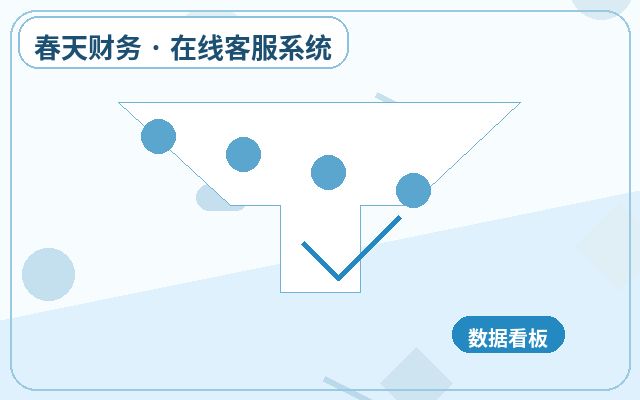
- Collect frequent questions: Extract the top 10 most common questions from customer service chat logs.
- Categorize question types: For example, price inquiries, feature questions, usage tutorials, etc.
- Identify the source page: Use visitor identification to see the URL associated with each question.
- Analyze missing information: Check if the page lacks the corresponding answer or if the information is unclear.
- Propose optimization solutions: For instance, add price details on product pages or include a FAQ section on help pages.
For example, if many visitors on a "Pricing Page" ask "Is monthly payment supported?", it indicates the page does not clearly state payment cycles. Adding "Supports monthly/quarterly/annual payment" can reduce such questions.
Frequently Asked Questions
What visitor data can an official website customer service solution analyze?
It can analyze traffic sources, dwell time, click behavior, conversation content, and inquiry times. This data helps identify weak points on pages.
Does AI auto-reply affect customer experience?
Not if set up properly. AI handles repetitive, standardized questions, while complex issues are transferred to human agents. This ensures quick responses while maintaining a personal touch.
Do I need technical staff to deploy an official website customer service solution?
Most solutions offer code embedding or plugin installation that non-technical users can handle. For example, the Spring Online Customer Service System supports one-click installation without development experience.
How can I tell if page optimization is effective?
Compare the volume of similar questions before and after optimization. A significant decrease indicates that the page information now meets user needs.
Summary
An official website customer service solution is not just a communication tool but also a data source for page optimization. By systematically analyzing visitor questions, businesses can identify content gaps on their website at low cost and gradually improve information presentation. For small and medium-sized businesses, choosing a feature-rich, reasonably priced solution is crucial. For example, the Spring Online Customer Service System costs 25 yuan/month, offers unlimited human agents, supports AI auto-reception and lead capture, and sends WeChat notifications when leads are acquired, making it ideal for businesses that need to go online quickly and continuously optimize their website experience.
Basic Process for Deploying an Official Website Customer Service Solution
- First, identify the main inquiry entry points and frequent questions on your website.
- Determine welcome messages, auto-replies, human agent hours, and notification methods.
- Integrate the customer service code into your website pages, and check display on both mobile and desktop.
- After launch, continuously adjust scripts, transfer rules, and follow-up processes based on real conversations.