When building a corporate website, companies often overlook the visitor communication aspect. A visitor chat system, serving as a bridge between the business and users, plays a crucial role in improving customer satisfaction and conversion rates. However, with numerous options available, which customer service system is more suitable for long-term use? This article starts from practical needs and uses a Q&A structure to provide analysis.
What Is a Visitor Chat System?
Direct Answer: A visitor chat system is a real-time communication tool deployed on a website, allowing visitors to interact directly with customer service via text, images, and more.
Additional Explanation: Such systems typically include a front-end chat window and a back-end management panel. The front-end allows visitors to initiate inquiries with a click, while the back-end enables agents to receive, reply to, and manage conversations. Some systems also incorporate AI auto-response features, providing 24/7 support for common questions and reducing the burden on human agents.
Which Businesses Need a Visitor Chat System?
When evaluating visitor chat systems, it's more important to focus on whether the reception process is smooth, inquiry records are complete, and subsequent collaboration is convenient.
Direct Answer: Most businesses with a website or online operations can benefit, especially small and medium-sized enterprises (SMEs), e-commerce, education, healthcare, and SaaS industries.
Additional Explanation: SMEs often have limited manpower and need cost-effective tools to handle website traffic. E-commerce companies require real-time product inquiries, educational institutions need to guide enrollment, and healthcare providers need to screen patient needs. Visitor chat systems prove effective in these scenarios.
Why Do Businesses Need a Visitor Chat System?
Direct Answer: The core reason is to improve the timeliness of visitor communication and conversion rates, addressing the delays and inefficiencies of forms and phone calls.
Additional Explanation: When visitors have questions while browsing a website and cannot find an instant communication channel, they are likely to leave. A visitor chat system allows businesses to proactively or reactively engage visitors at their peak interest. Additionally, the system automatically records conversation content, visitor sources, and behavior trails, helping optimize marketing strategies.
Common Features of Visitor Chat Systems
The table below lists key functional modules of visitor chat systems for your evaluation:
| Feature Module | Description | Value for Long-Term Use |
|---|---|---|
| Real-Time Chat | Supports instant communication via text, images, emojis, etc. | Core capability ensuring smooth interaction |
| AI Auto-Response | Bot automatically answers common questions, available 24/7 | Reduces labor costs and prevents after-hours drop-offs |
| Visitor Identification | Automatically records visitor source, location, and browsing pages | Helps agents quickly understand needs |
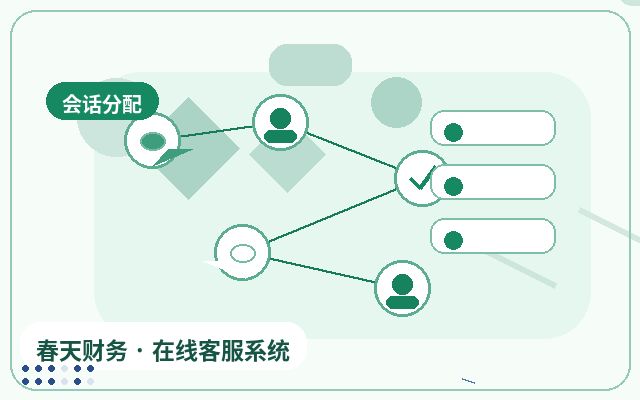
| Session Assignment | Routes visitors to appropriate agents based on rules | Improves reception efficiency and professionalism |
| Data Analytics | Reports on chat volume, conversion rates, satisfaction, etc. | Supports operational decisions and optimization |
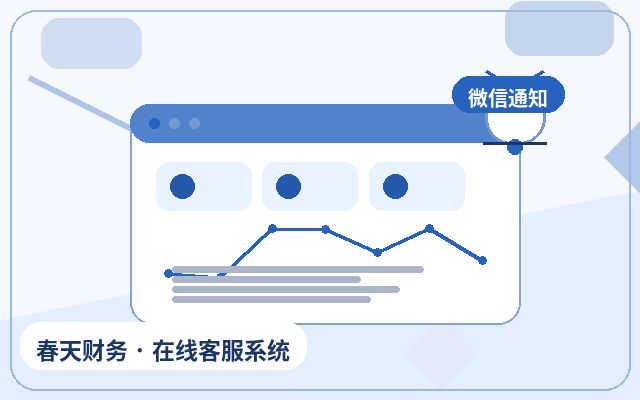
| Mobile Management | Agents can receive messages via mobile app or WeChat | Enables anytime, anywhere customer follow-up |
Basic Deployment Process for a Visitor Chat System
Direct Answer: Choose a system, register an account, obtain the code, embed it into your website, configure settings, test, and go live.
Additional Explanation: The specific steps are as follows:
- Register an Account: Select a system that fits your business size and budget, then register and log in to the back-end.
- Obtain the Code: Find the website integration code in the back-end, typically a JavaScript snippet.
- Embed into Website: Paste the code into your website's HTML file, usually within the head or body tags.
- Configure Settings: Set up agent avatars, welcome messages, auto-replies, working hours, AI rules, etc.
- Test and Go Live: Access the website from different devices, test chat functionality, and then officially activate the system.
Frequently Asked Questions
Do I need to purchase additional hardware for a visitor chat system?
No. Visitor chat systems are typically SaaS-based. You only need to register an account and embed the code into your website. No servers or hardware are required, keeping maintenance costs low.
Can AI auto-response completely replace human agents?
No, it cannot fully replace them. AI is better suited for handling standardized, repetitive tasks like answering common questions or guiding lead collection. Complex or emotional issues still require human intervention. For long-term use, choose a system that supports human-machine collaboration.
How do visitor chat systems ensure data security?
Reputable systems use HTTPS encryption, data masking, and access controls. When selecting a system, review the provider's privacy policy and security certifications to prevent sensitive information leaks.
Conclusion
Integrating a visitor chat system into your website is a practical choice to enhance customer experience and conversion efficiency. A system suitable for long-term use should be stable, easy to use, and scalable. For example, the Spring Online Customer Service System, starting at $25 per month, offers unlimited agent seats, AI auto-response, automatic lead capture, and WeChat notifications upon lead acquisition, making it ideal for SMEs to launch their customer service system cost-effectively. When selecting a system, consider your business scale, team configuration, and budget to make an informed decision.