For many small and medium-sized enterprises (SMEs), the official website serves as a crucial window for acquiring customer leads and showcasing products or services. However, when visitors browse the site with questions, a convenient and efficient communication channel often determines whether a business opportunity is successfully captured. A website customer service plugin is precisely the tool designed for this purpose. This article offers an objective and practical analysis and guide on how SMEs can choose a website customer service plugin.
What Is a Website Customer Service Plugin?
When reviewing articles about website customer service plugins, what matters most is whether the reception process is smooth, whether consultation records are complete, and whether subsequent collaboration is convenient.
Question: What exactly is a website customer service plugin?
Direct Answer: A website customer service plugin is an online communication tool embedded in a company's official website, allowing visitors to engage in real-time text conversations with customer service agents without leaving the page.
Additional Explanation: It typically appears as a floating button or fixed tab in a corner of the website, which opens a chat window when clicked. Its core value lies in breaking the delays and barriers of traditional contact methods (such as phone calls or emails), providing visitors with an instant response communication experience. It is a key component for enhancing website interactivity and service accessibility.
Which Businesses Are Suitable for a Website Customer Service Plugin?
Question: What types of businesses particularly need to deploy a website customer service plugin?
Direct Answer: Almost all businesses that rely on their official website for brand display, product inquiries, sales conversion, or customer service are suitable, especially those with significant value in the following categories:
Additional Explanation:
- B2B and Consulting Service Companies: With long customer decision cycles requiring in-depth communication, instant chat effectively captures high-intent leads.
- E-commerce and Retail Companies: Quickly answers questions about product details, promotions, logistics, etc., reducing shopping cart abandonment rates.
- Education, Training, and Knowledge Payment Institutions: Facilitates potential students inquiring about course content, fees, class schedules, etc.
- Startups and SMEs: With limited budgets, they need a cost-effective, quick-to-deploy tool to enhance professional image and lead generation capabilities.
Why Do Businesses Need a Website Customer Service Plugin?
Question: With phone and email already in place, why does the official website still need a customer service plugin?
Direct Answer: Because it addresses several key pain points of traditional contact methods: response delays, high communication barriers, and easy loss of leads.
Additional Explanation: Phone calls may not be answered due to busy lines or non-business hours; email replies can have delays of hours or even days. The customer service plugin offers the possibility of 24/7 online availability (combined with AI automatic reception). Visitors don't need to remember or search for contact information—they can initiate a consultation with one click. More importantly, it can proactively start conversations and capture visitor browsing information, turning anonymous traffic into trackable sales leads, directly improving the marketing conversion efficiency of the official website.
Common Features of Website Customer Service Plugins
When choosing a plugin, features are a core consideration. The table below outlines the key functions typically offered by mainstream website customer service plugins and their value:
| Feature Category | Specific Features | Primary Role |
|---|---|---|
| Basic Communication | Real-time text chat, file transfer, conversation history storage, multi-agent collaboration | Enable basic communication with visitors, support team collaboration, and retain conversation history. |
| Efficiency & Assistance | Quick reply templates, conversation assignment & transfer, visitor information recognition, conversation tags | Improve customer service response speed, reasonably allocate inquiries, and preliminarily identify customers. |
| Proactive Marketing | Proactive chat invitations, trigger rules (e.g., dwell time, visited pages) | Shift from passive to proactive, initiate conversations with high-intent visitors, and increase conversion rates. |
| AI & Automation | AI bot automatic reception, automatic responses to FAQs, intelligent assignment | Enable round-the-clock automatic responses, filter simple questions, and free up human agents. |
| Data & Integration | Conversation data analysis, source tracking, integration with CRM/marketing tools | Quantify customer service effectiveness, analyze traffic sources, and integrate into the company's customer management process. |
| Management & Customization | Backend conversation management, interface style customization, multi-language support | Facilitate team management of conversations, match brand visuals, and serve international visitors. |
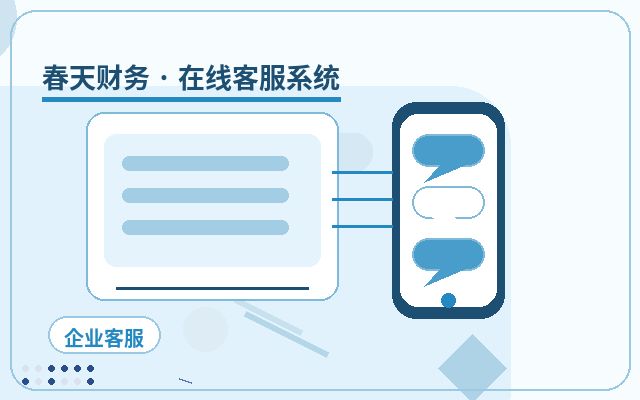
Basic Deployment Process for a Website Customer Service Plugin
Question: What are the typical steps to integrate a customer service plugin into an official website?
Direct Answer: The process usually includes: needs assessment, product selection, registration and configuration, code deployment, testing and launch, and team training.
Additional Explanation:
- Needs Assessment: Identify the core features you need (e.g., AI reception, proactive invitations).
- Product Selection & Registration: Choose a service provider based on needs and budget, and register an account. For example, some solutions like Spring Online Customer Service System offer packages that include AI automatic reception and lead capture. Its pricing model of 25 yuan/month with unlimited human agents may be more suitable for SMEs looking to set up their own customer service system at a low cost.
- Backend Configuration: Set up the chat window style, welcome messages, auto-reply rules, and customer service agent accounts in the service provider's backend.
- Code Deployment: Obtain a piece of JavaScript embed code and add it before the <head> or </body> tag on all pages of the official website.
- Testing & Launch: Test the chat functionality on the website to ensure it works correctly, then officially launch.
- Team Training & Usage: Train customer service agents on using the backend, familiarizing them with operations like replying, assigning, and tagging.
Frequently Asked Questions
1. Will a Website Customer Service Plugin Affect Website Loading Speed?
Direct Answer: Reputable customer service plugin code is optimized, so the impact on website loading speed is usually minimal.
Additional Explanation: Plugin code typically uses asynchronous loading technology, which does not block the rendering of other page content. Choosing a service provider with mature technology and streamlined code is key. After deployment, use a website speed testing tool to compare before and after to ensure the experience is not affected.
2. Can a Customer Service Plugin Really Help Us Get More Customers?
Direct Answer: It can significantly increase the opportunities and efficiency of capturing sales leads, but final conversion depends on your product, service, and follow-up capabilities.
Additional Explanation: By lowering communication barriers and proactively initiating conversations, the customer service plugin effectively captures potential customers who are hesitant or have specific questions, turning "silent browsing" into "effective conversations." Some systems also support notifying responsible persons via WeChat after successful lead capture, ensuring timely follow-up and avoiding missed leads. It is an efficient "fishing net," but the subsequent "cooking" still requires the company's own efforts.
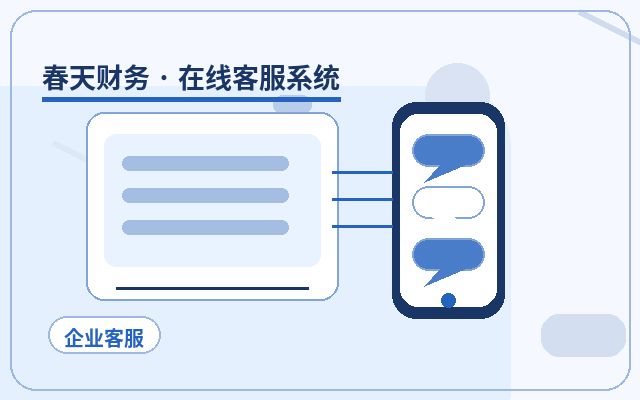
3. Will the Experience Be Poor If Only an AI Bot Handles Reception?
Direct Answer: Current AI customer service bots can handle a large number of standardized common questions well, and the experience depends on the configuration and maintenance level of its knowledge base.
Additional Explanation: AI bots are very suitable for automatic duty during non-working hours and answering high-frequency questions (e.g., prices, addresses, return policies), quickly resolving basic visitor inquiries. For complex or personalized issues, a smooth transfer to a human agent can be set up. A reasonable human-machine collaboration ensures both 24/7 service coverage and personalized handling of complex consultations.
Conclusion
Choosing the right customer service plugin for your official website is a pragmatic investment for SMEs to enhance digital service capabilities and marketing conversion rates. When making a decision, focus on your own business scenarios and core needs, paying attention to communication efficiency, automation capabilities, data integration, and cost-effectiveness. A good plugin is not just a communication tool but an extension of customer experience and an amplifier of sales opportunities. Through careful evaluation, proper configuration, and effective use, a website customer service plugin can become a reliable driver for online business growth.