For many businesses with websites, efficiently handling visitor inquiries and improving conversion rates is a core challenge. Traditional contact forms and emerging online customer service tools—which approach better meets current needs? More importantly, how do modern lightweight customer service tools cleverly combine AI automated reception with human service to balance efficiency and experience? This article provides direct answers and analysis around these questions.
What Is a Lightweight Customer Service Tool?
Question: What is a lightweight customer service tool?
Direct Answer: A lightweight customer service tool is an online customer service system that is simple to deploy, cost-controllable, and focused on core reception functions. It is typically provided as a SaaS solution, and businesses can use it by embedding a piece of code into their website.
Additional Explanation: Unlike traditional large and complex customer service systems, it discards non-core functions, emphasizing quick startup, easy management, and high cost-effectiveness. Its core goal is to provide a convenient communication entry point as soon as a visitor opens the website, intelligently distribute conversations, and ensure inquiries are responded to and handled promptly.
Online Customer Service vs. Contact Forms: Which Better Suits Current Business Needs?
When organizing articles about lightweight customer service tools, it's more important to focus on whether the reception process is smooth, inquiry records are complete, and subsequent coordination is convenient.
Question: What are the main advantages of online customer service tools over contact forms?
Direct Answer: Online customer service tools generally outperform static contact forms in terms of response immediacy, interaction depth, and lead conversion efficiency.
Additional Explanation: Contact forms are an asynchronous communication method—visitors submit questions and wait for email or backend replies, which can lead to loss due to long wait times. In contrast, online customer service tools support real-time conversations, instantly answering visitor questions. Through proactive invitations and multi-turn dialogues, they can uncover potential needs and directly convert conversations into sales leads. For businesses focused on conversion rates and customer experience, online customer service is often the better choice.
How Do Lightweight Customer Service Tools Coordinate AI and Human Reception?
Question: What roles do AI and humans play in lightweight customer service tools?
Direct Answer: AI handles 24/7 automated responses, filters common questions, and performs initial lead screening; human agents handle complex, high-value inquiries for in-depth communication and conversion.
Additional Explanation: This coordination model forms an efficient reception funnel. AI bots can respond to all visitors immediately, answering standard questions like "product price" or "service hours." When AI cannot handle a query or a visitor explicitly requests a human, the system seamlessly transfers to an online human agent. Additionally, AI can analyze conversation content, preliminarily assess visitor intent levels, and alert human agents for better preparation. Some systems, like the Spring Online Customer Service System, support AI automated reception working alongside human agents and, when identifying high-intent leads, notify relevant sales via WeChat for "automated lead capture."
Which Businesses Are Suitable for Lightweight Customer Service Tools?
Question: What types of businesses should most consider using lightweight customer service tools?
Direct Answer: Small and medium-sized enterprises (SMEs), startups, and individual studios with limited budgets, a focus on online lead acquisition, small customer service teams, or fluctuating reception peaks are most suitable.
Additional Explanation: These businesses typically need to quickly deploy professional customer communication capabilities at a low cost. Lightweight tools require no high initial investment or complex IT deployment. For example, some plans offer subscriptions starting at $25 per month with unlimited human agent seats, allowing all team members to log in and handle inquiries—ideal for cost-sensitive teams. This enables SMEs to have AI-assisted 24/7 availability, enhancing website professionalism and credibility.
Why Do Businesses Need Lightweight Customer Service Tools?
Question: What is the core value of deploying a lightweight customer service tool?
Direct Answer: The core value is significantly improving website communication experience, inquiry response efficiency, and sales lead conversion rates at a controllable cost.
Additional Explanation: Specific benefits include: 1) No missed opportunities: AI works around the clock to fill gaps during non-business hours; 2) Improved reception efficiency: AI filters most simple and repetitive questions, allowing human agents to focus on high-value conversations; 3) Enhanced customer experience: Instant responses and human-like interactions greatly increase visitor goodwill; 4) Easy management and analysis: All conversation records, customer sources, and intent tags are stored for review and follow-up.
Common Features of Lightweight Customer Service Tools
The table below lists core functional modules typical of a lightweight customer service tool:
| Feature Module | Primary Role | Typical Scenario |
|---|---|---|
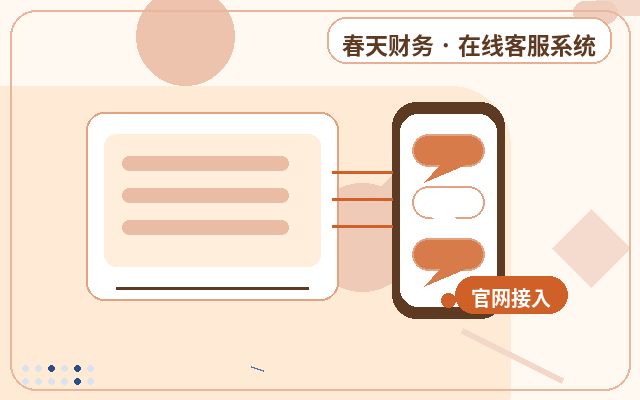
| Multi-Channel Integration | Unifies inquiries from website, mobile, and other entry points into one backend. | Agents reply to all visitors from the official website and mobile site in one interface. |
| AI Automated Reception | Automatically answers common questions using preset knowledge bases or machine learning. | After hours, AI automatically answers questions like "business hours" or "shipping policy." |
| Smart Transfer to Human | Automatically transfers to human agents under specific conditions (e.g., keywords, visitor request). | When a visitor types "transfer to human" or asks about complex after-sales issues, the system connects to an agent. |
| Conversation Assignment & Management | Assigns conversations to specific agents or rotates by rules, with monitoring and grab capabilities. | A sales lead assigns high-value customer conversations to senior sales for follow-up. |
| Customer Info & Tracking | Automatically identifies visitors and records behavior like browsed pages and search keywords. | An agent sees a visitor just viewed the pricing page and proactively offers discount information. |
| Data Statistics & Analysis | Analyzes data such as conversation volume, response time, conversion rate, and customer satisfaction. | Managers use reports to check if average agent response time meets weekly targets. |
Basic Deployment Process for Lightweight Customer Service Tools
Question: How many steps does it typically take for a business to deploy such a tool from scratch?
Direct Answer: The main process can be divided into four steps: needs assessment and selection, registration and configuration, website integration, and testing, launch, and training.
Additional Explanation: First, clarify your needs for AI reception, number of human agents, mobile support, etc. Then, choose a suitable service provider, register, and complete basic settings in the backend, such as agent groups, AI knowledge base training, and auto-reply rules. Next, embed the provided code snippet into all pages of your website. Finally, conduct thorough testing to ensure smooth conversation flow, train your customer service team, and launch. The entire process can typically be completed within a few hours.
Frequently Asked Questions
Is Data Security Guaranteed with Lightweight Customer Service Tools?
Direct Answer: Reputable SaaS providers offer basic data security measures, but businesses should still review the provider's agreements and practices.
Additional Explanation: Businesses should choose providers with good reputations and understand their data encryption, storage locations, and backup policies. For sensitive information in conversation records, internal management guidelines should be established. Generally, lightweight tools meet the common business data security needs of SMEs.
What If AI Responses Are Not Intelligent Enough?
Direct Answer: AI intelligence depends on continuous training and optimization; businesses need to invest time in improving the knowledge base.
Additional Explanation: Initially, enter common questions and standard answers (FAQs) into the knowledge base one by one. After the system runs, regularly learn new questions and answers from "AI unrecognized" or "transferred to human" conversations, and continuously supplement and adjust. This is an iterative process—AI becomes smarter with more training.
How to Evaluate the Effectiveness of a Lightweight Customer Service Tool?
Direct Answer: Mainly through key metrics: inquiry conversion rate, average response time, customer satisfaction, and lead quantity/quality.
Additional Explanation: Compare whether the rate of website inquiries or conversations converting into effective leads or orders has improved before and after using the tool; check if the system reports show reduced average response times for AI and humans; collect feedback through post-conversation satisfaction surveys; and ultimately, measure whether the number of leads acquired has increased and whether the sales follow-up conversion rate has improved.
Conclusion
In today's era where instant communication is standard, lightweight customer service tools, by integrating AI and human agents, offer businesses a cost-effective website communication upgrade solution. They effectively address the slow response and weak interaction of traditional contact forms, making them especially suitable for SMEs looking to enhance online lead generation and customer service efficiency at a low cost. When choosing such tools, businesses should focus on their core needs, pay attention to AI-human coordination capabilities, ease of deployment, and future operational optimization potential, so that technology truly serves business growth.