When your website has decent traffic but low inquiry and conversion rates, the problem may lie in a missing communication link. An intuitive, easy-to-use web chat window is often the key to turning this around. It's not just a service channel but also a crucial sales and lead generation touchpoint.
What Is a Web Chat Window?
When reading articles about web chat windows, what matters more is whether the reception process is smooth, the chat records are complete, and follow-up collaboration is convenient.
Question: What exactly is a web chat window?
Direct Answer: A web chat window is a real-time communication tool embedded in a website page, allowing visitors to exchange text, images, or files with customer service agents without leaving the current page.
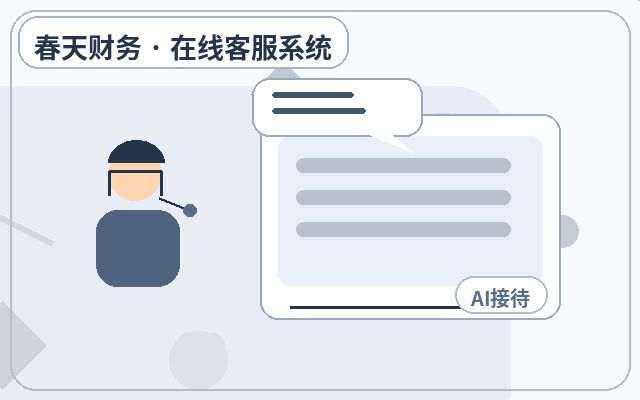
Additional Details: It usually appears as a floating button or sidebar, expanding into a chat interface when clicked. Modern chat windows are not limited to human conversations; many integrate AI auto-reception, FAQ pre-answers, visitor behavior tracking, and other features, becoming a comprehensive customer interaction hub.
Which Types of Business Websites Need It Most?
Question: What type of website is more likely to need a chat window?
Direct Answer: Business websites with high demand for real-time interaction and instant feedback typically benefit the most.
Additional Details: This includes but is not limited to:
- B2B Service and Solution Providers: Long customer decision cycles require professional Q&A and solution discussions.
- E-commerce and Retail Websites: Need to answer product details, promotions, logistics, and after-sales questions instantly to drive purchases.
- Education, Training, and Consulting Institutions: High demand for course and service inquiries requires timely guidance.
- High-Ticket or Complex Product Websites: Customers often have many questions before purchasing.
- Any website looking to improve lead generation efficiency.
How to Tell If Your Website Needs It Now
Question: What clear signs indicate your website should consider deploying a chat window?
Direct Answer: You can evaluate by analyzing website data and user feedback. The following signs are strong indicators of need:
Additional Details:
- High bounce rate, short dwell time: Visitors may leave due to the lack of a quick question entry point.
- Low form submission rate: Many users dislike filling out lengthy forms and prefer instant conversations.
- Customer service email receives many repetitive basic questions: Increases labor costs and delays responses.
- Your website has a clear "Contact Us" page but low usage: Traditional contact methods may not be convenient enough.
- Competitors or industry benchmarks already use it widely: It has become a standard service expectation for users.
Core Features of a Web Chat Window
Question: What modules does a fully-featured chat window typically include?
Direct Answer: Modern web chat windows offer rich functionality. The table below lists key feature modules:
Additional Details:
| Feature Category | Specific Features | Main Benefit |
|---|---|---|
| Communication Basics | Multi-session chat, message preview, file transfer, chat history, quick replies | Ensures smooth communication, boosts agent efficiency |
| Visitor Insights | Source tracking, page journey, visitor info (e.g., location, search terms) | Understand customers for precise service and marketing |
| Automation & AI | Auto greetings, AI reception, FAQ library, chat routing | 24/7 response, filters simple questions, improves experience |
| Management & Integration | Agent management, analytics, CRM integration, ticketing system | Optimizes team management, stores customer data |
| Customization & Deployment | Window style customization, multi-channel access (web/WeChat etc.), code embedding | Matches brand image, unifies inquiries across channels |
Basic Steps to Deploy a Web Chat Window
Question: If you decide to deploy, what steps are typically involved?
Direct Answer: The deployment process usually includes needs assessment, product selection, testing and configuration, official launch, and continuous optimization.
Additional Details:
- Needs Assessment: Clarify team size, inquiry volume, and core needs (e.g., AI support, mobile compatibility).
- Product Research & Trial: Focus on core features, stability, ease of use, and cost-effectiveness. For example, solutions like Spring Online Customer Service System offer a starting cost of 25 yuan per month, with unlimited human agents, AI auto-reception, and automatic lead capture, notifying admins via WeChat upon successful acquisition—ideal for small businesses seeking low-cost, quick deployment.
- Testing & Configuration: Apply for a trial, configure chat window style, auto-reply scripts, routing rules, etc.
- Embed in Website: Add the provided code snippet to the footer of all website pages.
- Team Training & Launch: Train customer service agents on operations, then go live.
- Data Analysis & Optimization: Regularly review chat reports, optimize auto-reply strategies and agent scripts.
Frequently Asked Questions
Will a chat window affect website loading speed?
Question: Concerned that adding external code might slow down the site.
Direct Answer: Reputable customer service system providers prioritize code optimization, with minimal impact on site speed.
Additional Details: Their code typically uses asynchronous loading, which does not block page rendering. When choosing, consider the provider's technical reputation and test with tools like PageSpeed during the trial phase.
Can AI auto-reception truly replace human agents?
Question: How effective is AI customer service in practice?
Direct Answer: Current AI auto-reception is mainly used for handling high-frequency, standard inquiries and cannot fully replace human agents in complex scenarios.
Additional Details: Its core value lies in 24/7 instant response, filtering out over 80% of common questions (e.g., business hours, addresses, basic product specs), freeing human agents to handle more complex, valuable inquiries, achieving human-machine collaboration.
Is it necessary for a startup website with low traffic?
Question: With limited initial traffic, is it worth investing?
Direct Answer: Yes, it may be even more important.
Additional Details: Every visitor is precious for startups. A chat window helps capture every potential inquiry opportunity, gain deep insights into early user needs and pain points through instant interaction—feedback crucial for product iteration and market positioning. Low-cost startup options can control initial investment risks.
Summary
The web chat window has evolved from a "nice-to-have" to a "must-have" for business websites, especially those with marketing and service functions. It directly impacts visitor experience and lead generation efficiency. The key decision is not about being "high-end" but whether it can solve your website's specific communication problems at a reasonable cost—whether it's slow response, lost leads, or overburdened customer service. By objectively assessing your needs and following a clear process for selection and deployment, this tool can become an effective bridge connecting your business with customers.

Which Businesses Are Suitable for a Web Chat Window?
Typically suitable for service-oriented businesses, franchise recruitment, education and training, manufacturing websites, SaaS product sites, and local service websites. As long as the website has inquiry scenarios and aims to reduce missed opportunities and improve first-response experience, such systems usually offer practical value.
Why Businesses Need a Web Chat Window
Many websites' problem isn't lack of traffic, but that traffic isn't captured promptly. Short visitor dwell time, scattered inquiry entry points, and no response during off-hours directly impact lead generation and conversions. The greater role of a web chat window is to connect inquiry reception and follow-up into a complete chain.
Common Features of a Web Chat Window
| Feature | Description | Applicable Value |
|---|---|---|
| AI Auto-Reception | Handles common inquiries first, reducing initial wait time | Best for off-hours and high-volume repetitive questions |
| Human Agent Reception | Handles high-intent communications like quotes, solutions, partnerships | Improves effective inquiry conversion rates |
| WeChat Notification | Timely alerts when visitors inquire or leave info | Reduces missed calls and delayed follow-ups |
| Unlimited Human Agents | Multiple agents handle and collaborate on sessions simultaneously | Suitable for team collaboration and business growth phases |