For many SaaS providers, the official website is a critical channel for acquiring potential customers and showcasing product value. However, when visitors show interest and click "Free Trial" or "Inquire Now," efficiently and professionally handling these valuable leads to prevent customer churn becomes a challenge for marketing and operations teams. This article explores how customer service SaaS can be a key tool to enhance website inquiry response efficiency.
What Is Customer Service SaaS?
Question: What exactly is customer service SaaS?
Direct Answer: Customer service SaaS is a cloud-based software-as-a-service model that provides businesses with a complete set of solutions for online customer service, client communication, and management.
Additional Explanation: Users don't need to install complex local hardware or software. By embedding a simple code snippet into their website, they can activate a customer service system with features like live agent support, AI chatbots, conversation logs, and data analytics. It primarily solves the problem of unified access and management of customer communications across multiple channels.
Which Businesses Need Customer Service SaaS?
Question: What types of companies especially need to deploy customer service SaaS?
Direct Answer: Any business that acquires customer inquiries through its website, product pages, or online ads can benefit, particularly B2B software providers, e-commerce brands, educational institutions, and consulting firms.
Additional Explanation: These companies often have longer customer decision cycles and high-value website visitors, requiring professional, timely, and ongoing communication to nurture leads. For small and medium-sized businesses with limited budgets that want to quickly set up professional customer service capabilities, lightweight customer service SaaS solutions offer a low-barrier option.
Why Do Businesses Need Customer Service SaaS for Website Inquiries?
Question: What are the bottlenecks of traditional contact methods (e.g., email, phone)?
Direct Answer: Delayed responses, easy loss of leads, and lack of unified management lead to low conversion rates.
Additional Explanation: When visitors submit a form, they often wait for an email or phone reply. This time gap can cause customer interest to cool or drive them to competitors. Phone calls may be missed due to busy lines or off-hours. Customer service SaaS provides a real-time online chat window, enabling "instant response" that keeps visitors engaged on the current page, significantly shortening the feedback cycle.
Common Features of Customer Service SaaS That Improve Inquiry Efficiency
Question: What specific features does customer service SaaS use to boost efficiency?
Direct Answer: It primarily relies on five categories: automated reception, smart routing, omnichannel aggregation, fine-grained lead management, and data-driven optimization.
Additional Explanation: These features work together to ensure every website inquiry is handled quickly, accurately, and effectively. The table below details how each feature improves efficiency:
| Feature Category | Specific Feature | Impact on Inquiry Efficiency |
|---|---|---|
| Automated Reception | AI chatbot 24/7 auto-response, preset FAQ replies, intelligent conversation guidance | Provides round-the-clock instant responses, filters simple repetitive questions, frees human agents for complex inquiries, and ensures no inquiry is missed. |
| Smart Routing | Automatically assigns conversations based on customer source, inquiry content, agent skills, and workload | Quickly routes inquiries to the most suitable agent, reduces customer wait time and internal transfers, and improves first response speed. |
| Omnichannel Aggregation | Unifies inquiries from website chat, WeChat, app, email, etc., into a single dashboard | Agents handle all inquiries from one interface without switching between platforms, reducing operational complexity and increasing throughput. |
| Fine-Grained Lead Management | Automatically captures visitor info (source, pages viewed), archives conversation logs, tags, grades, and assigns follow-up personnel | Transforms raw inquiries into structured sales leads, prevents forgetting or losing them, and lays the foundation for precise follow-up and conversion. |
| Data-Driven Optimization | Reports on conversation volume, response time, conversion rate, customer satisfaction, etc. | Identifies bottlenecks in the reception process (e.g., slow response during certain hours), evaluates agent performance, and continuously improves reception strategies and scripts. |
Basic Process for Deploying Customer Service SaaS to Improve Website Inquiry Handling
Question: How can a business start using customer service SaaS to optimize website inquiries?
Direct Answer: Typically follow the process: assess needs → choose a solution → embed and deploy → configure and optimize → train and launch.
Additional Explanation: First, identify pain points in inquiry handling (e.g., no night coverage, messy leads). Then, select a suitable SaaS product based on team size, budget, and feature requirements. For example, some solutions like Spring Online Customer Service System start at $25 per month with unlimited agent seats, support AI auto-reception and lead capture, and notify the team via WeChat when a lead is acquired—making it suitable for small and medium businesses to quickly set up a professional system at low cost. After selection, embed the chat component into key website pages via code, and configure auto-replies, routing rules, visitor tracking, etc., in the backend. Finally, train the customer service team and go live.
Frequently Asked Questions
Will the AI chatbot in customer service SaaS feel robotic and harm customer experience?
Question: How to balance AI efficiency with user experience?
Direct Answer: Modern customer service SaaS AI chatbots use natural language processing (NLP) and preset scenario flows to achieve more human-like interactions.
Additional Explanation: The key is proper configuration. AI should first handle high-frequency, standard inquiries (e.g., "How much does it cost?" "What features are supported?") and provide quick, accurate answers. When it detects complex issues or a customer explicitly requests a human, it should seamlessly transfer. Additionally, businesses can continuously optimize the AI knowledge base and conversation flows to make responses more precise and natural.
How does customer service SaaS ensure data security and privacy?
Question: Is it safe to store conversation data in the cloud?
Direct Answer: Reputable customer service SaaS providers typically use data encryption for transmission and storage, access control, and compliance certifications to ensure security.
Additional Explanation: When selecting a solution, businesses should check the provider's security credentials (e.g., ISO 27001, local security certifications), understand data storage locations and backup policies. Internally, use backend permission settings to ensure only authorized personnel can access customer conversation logs and sensitive information.
Is customer service SaaS necessary for startups with low inquiry volume?
Question: What value does customer service SaaS offer with low inquiry volume?
Direct Answer: It still adds value by enhancing professional image, preventing loss of any valuable lead, and preparing for future growth.
Additional Explanation: Even with just a few inquiries per day, a real-time online chat window appears more professional and reliable than static contact methods. AI reception can handle and record inquiries during off-hours. Moreover, managing all customer leads systematically from the start helps establish a scientific sales process, allowing smooth scaling as the business grows and inquiry volume increases, without needing to switch systems.
Conclusion
In the competitive SaaS market, the efficiency of handling website inquiries directly impacts customer acquisition costs and conversion rates. Customer service SaaS upgrades fragmented, delayed communication methods into a centralized, real-time, intelligent customer interaction platform, offering a systematic solution. It's not just about providing a chat window; it's about leveraging automation, data, and process capabilities to empower businesses to capture every potential conversion opportunity. For companies looking to optimize their website conversion funnel, evaluating and adopting a suitable customer service SaaS is a crucial step to improve operational efficiency, enhance customer experience, and drive business growth.
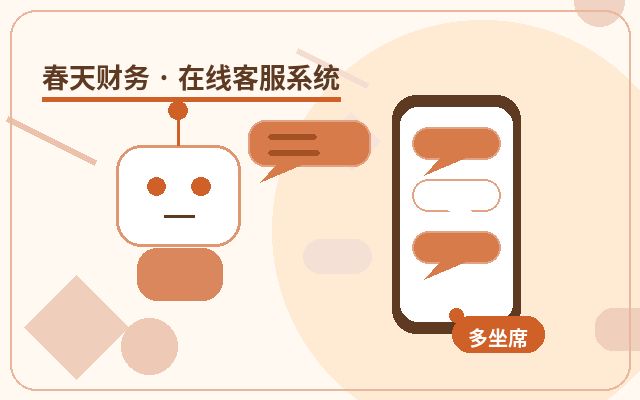
Common Customer Service SaaS Features
| Feature | Description | Applicable Value |
|---|---|---|
| AI Auto-Reception | Handles common inquiries first, reducing initial wait time | Best for off-hours and scenarios with many repetitive questions |
| Live Agent Reception | Handles high-intent communications like pricing, solutions, and partnerships | Improves conversion rate for effective inquiries |
| WeChat Notification | Timely alerts when a visitor inquires or leaves contact info | Reduces missed inquiries and delayed follow-ups |
| Unlimited Agent Seats | Multiple agents can handle and collaborate on conversations simultaneously | Suitable for team collaboration and business growth phases |
Basic Steps to Deploy Customer Service SaaS
- First, identify the main inquiry entry points and frequently asked questions on your website.
- Set up welcome messages, auto-replies, live agent hours, and notification methods.
- Embed the customer service code into your website pages, and check display on both mobile and desktop.
- After launch, continuously adjust scripts, transfer rules, and follow-up processes based on real conversations.