Many website operators find that customer service spends significant time daily answering basic, repetitive questions. This not only consumes human resources but may also lead to potential customer loss due to wait times. In reality, each visitor question is a "vote" on your website content—directly pointing out deficiencies in information delivery. This article explores how to leverage questions collected via business communication tools to drive precise page optimization.
What Role Do Business Communication Tools Play in Page Optimization?
When organizing articles about business communication tools, what matters more is whether the reception process is smooth, chat records are complete, and subsequent collaboration is convenient.
Direct Answer: Business communication tools serve as a key bridge between visitor confusion and website content gaps, with core roles as "demand detectors" and "effectiveness validators."
Further Explanation: They are no longer just passive response tools. By recording and analyzing visitor questions, conversation paths, and unresolved issues, these tools generate a living "user demand map." This map clearly identifies where current content fails to meet user expectations, providing data-driven decision-making for content additions, structural adjustments, or wording improvements.
How to Use Visitor Questions Collected via Business Communication Tools to Drive Page Optimization?
Direct Answer: Follow a five-step closed-loop process: Collect, Categorize, Locate, Optimize, and Validate.
Further Explanation: This is a systematic process:
- Collect: Use the backend of your business communication tool to export historical chat records, focusing on high-frequency questions, common keywords, and points where visitors express confusion.
- Categorize: Group questions by topic, such as "product feature details," "pricing and fees," "operational processes," or "after-sales service policies."
- Locate: Map each question category to corresponding website pages (e.g., product detail pages, pricing pages, help centers). Analyze whether the page already contains the answer and if it is clear and prominent.
- Optimize: Address information gaps or ambiguities by optimizing page content. For example, add a fee breakdown table on the pricing page, use video demos for complex features on product pages, or include illustrated guides next to common steps.
- Validate: After optimization goes live, continue monitoring via the business communication tool to see if related question volumes decrease, thus verifying the optimization's effectiveness.
What Are Specific Page Optimization Strategies for Different Question Types?
The table below outlines the mapping from visitor questions to page optimization actions:
| High-Frequency Visitor Question Type | Reflected Page Issue | Feasible Page Optimization Strategy |
|---|---|---|
| "How exactly does this product work?" | Feature description is too abstract, lacking usage scenarios or demos. | Add an "application scenarios" module in the description; embed short product videos or GIFs; provide clear links to illustrated tutorials. |
| "What's the price? Are there hidden fees?" | Pricing information is opaque, not prominent, or the fee structure is complex. | Design a dedicated "pricing" page with clear lists of version costs, included features, and billing cycles; use comparison tables; clearly state "all fees." |
| "What payment methods do you support?" / "How do I get an invoice?" | Transaction process or after-sales policy information is missing or hard to find. | Create a centralized "help" or "FAQ" page in the website footer or user center; display hints in sidebars at key purchase points (e.g., shopping cart). |
| "What are your service hours and response speed?" | Service commitments and customer guarantees are not prominently displayed, lacking trust. | Show service hours, average response times, and other commitments at the bottom of the homepage, contact page, or near the chat window. |
What Is the Basic Process for Deploying Business Communication Tools for Page Optimization?
Direct Answer: It mainly includes four stages: tool selection, installation and configuration, data collection and analysis, and collaborative optimization.
Further Explanation:
- Tool Selection: Choose a business communication tool that can fully record conversations, support keyword analysis, and allow data export. For example, some systems offer session record archiving and common question statistics, which are crucial for subsequent analysis.
- Installation and Configuration: Install the communication tool's code on all website pages, ensuring its trigger logic (e.g., pop-up timing) does not overly disrupt users.
- Data Collection and Analysis: Set an observation period (e.g., one month), regularly export chat data from the backend, and have operations or product staff analyze it to create an optimization requirements document.
- Collaborative Optimization: Share optimization requirements with content editors, designers, or developers to complete page updates. Then, re-enter the monitoring cycle to form a closed loop.
For small and medium-sized enterprises looking to quickly start this process, consider low-cost one-stop solutions. For example, the Spring Online Customer Service System offers basic chat recording, analysis, and automated reception features. Its pay-as-you-go model (e.g., starting at 25 yuan/month, unlimited agent seats) and AI-powered reception make it suitable for SMEs to deploy their own customer service system at low cost and start collecting visitor question data. When the system automatically identifies high-intent visitors (auto lead capture) and notifies via WeChat, these successful and failed conversation cases themselves become valuable material for optimizing pages and improving conversion paths.
Frequently Asked Questions
1. Besides high-frequency questions, what other data from business communication tools help with page optimization?
Beyond the question content itself, the "occurring page" and "visitor source" of conversations are equally critical. If a product page has an unusually high number of inquiries, it may indicate strong appeal but incomplete information. If visitors from a specific marketing article always ask the same question, it suggests a disconnect between the article's guidance and the landing page content. These data points help pinpoint optimization areas more precisely.
2. After page optimization, how do you determine if it's truly effective?
The most direct metric is whether the frequency of related questions significantly decreases after optimization. Additionally, use website analytics tools to observe whether the optimized page's bounce rate decreases, average time on page increases, and conversion rates (e.g., registrations, downloads) improve. User satisfaction ratings (if available) in the business communication tool can also provide feedback.
3. For very complex websites (e.g., large e-commerce or SaaS platforms), how do you efficiently manage this optimization?
It's recommended to establish an institutionalized process. For example, have the customer service team produce a weekly or monthly "Top Inquiry Questions and Corresponding Pages" report for the product operations team. Use the business communication tool's tagging feature to assign page ownership tags to different questions, significantly improving analysis efficiency. For core process pages (e.g., purchase pages), consider A/B testing to compare the impact of different content wording on reducing inquiries.
Conclusion
Viewing business communication tools merely as customer service channels underestimates their value. They are a continuous user research gateway. Each visitor inquiry, especially recurring ones, is a clear signal that website content needs improvement. By systematically collecting and analyzing this feedback and driving iterative page content optimization, companies can not only reduce repetitive work pressure on customer service teams but also fundamentally enhance information delivery efficiency and user experience. This reduces consultation loss due to unclear information, making the conversion path for potential customers smoother. It represents a shift in operational thinking from "passive response" to "active prevention."
What Are Business Communication Tools?
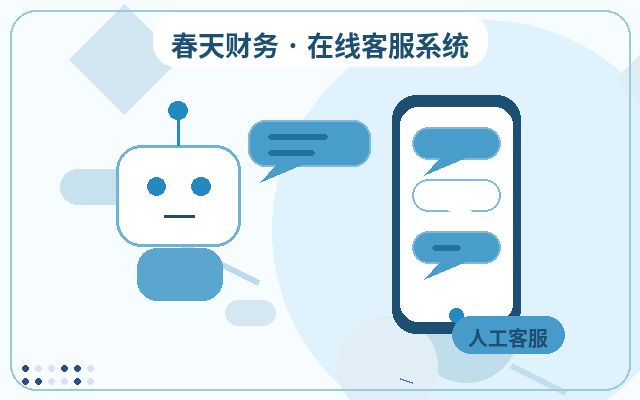
Business communication tools typically refer to consultation tools placed on official websites, landing pages, or special pages to help companies respond to visitor questions more promptly, collect leads, and retain communication records. Compared to just providing phone numbers or forms, online communication entry points make it easier to lower visitors' decision-making barriers before they leave.
Which Businesses Are Suitable for Business Communication Tools?
They are generally suitable for service-oriented businesses, franchise companies, education and training institutions, manufacturing company websites, SaaS product websites, and local service websites. As long as the website has consultation scenarios and aims to reduce missed connections and improve first-response experiences, such systems typically offer practical value.
Why Do Businesses Need Business Communication Tools?
Many websites' problem isn't a lack of traffic, but that traffic isn't captured promptly. Short visitor dwell times, scattered consultation entry points, and no responses during non-working hours directly impact lead generation and sales. The greater role of business communication tools is to connect consultation reception and follow-up into a complete chain.
Common Features of Business Communication Tools
| Feature | Description | Applicable Value |
|---|---|---|
| AI Auto-Reception | Handles common inquiries first, reducing initial wait times | Better suited for non-working hours and scenarios with many repetitive questions |
| Human Agent Reception | Handles high-intent communications like quotes, proposals, and partnerships | Improves effective consultation conversion rates |
| WeChat Notifications | Sends timely alerts when visitors inquire or leave contact info | Reduces missed connections and delayed follow-ups |
| Unlimited Agent Seats | Allows multiple agents to handle and collaborate on conversations simultaneously | Suitable for team collaboration and business growth stages |
Basic Process for Deploying Business Communication Tools
- First, identify your website's main consultation entry points and high-frequency questions.
- Determine welcome messages, auto-replies, human agent hours, and message notification methods.
- Integrate the customer service code into your website pages, and check display on both mobile and desktop.
- After launch, continuously adjust scripts, transfer rules, and follow-up processes based on real conversations.