When a business wants to establish communication channels with customers on its website or app, it often faces a choice: deploy a real-time live chat window or a traditional contact form. Each approach has its own characteristics, and the emergence of modern smart auto-reply technology offers a new perspective on this decision. This article compares these two tools and explores how smart auto-reply can help businesses solve communication challenges.
What Are the Core Differences Between Live Chat and Contact Forms?
When organizing articles about smart auto-reply, it's more important to focus on whether the reception process is smooth, whether consultation records are complete, and whether subsequent collaboration is convenient.
Direct Answer: The core difference lies in the immediacy and proactivity of interaction. Live chat emphasizes real-time, two-way, proactive conversations; contact forms are asynchronous, one-way, and passive information collection.
Additional Explanation: Live chat (chat window) allows visitors to initiate conversations at any time, and customer service agents can respond in real time, making communication continuous and bidirectional. It is better suited for scenarios requiring immediate feedback, such as urgent inquiries, product recommendations, and objection handling. Contact forms require visitors to fill in fixed fields (e.g., name, phone, needs) and submit, with the business replying later via phone or email. Their advantage lies in structured information, which is easy to input into CRM systems, but communication delays can lead to losing interested customers during the wait.
What Is Smart Auto-Reply?
Direct Answer: Smart auto-reply is an automated communication tool based on rules or artificial intelligence (AI) technology that simulates human customer service, providing 24/7 instant responses to website visitors.
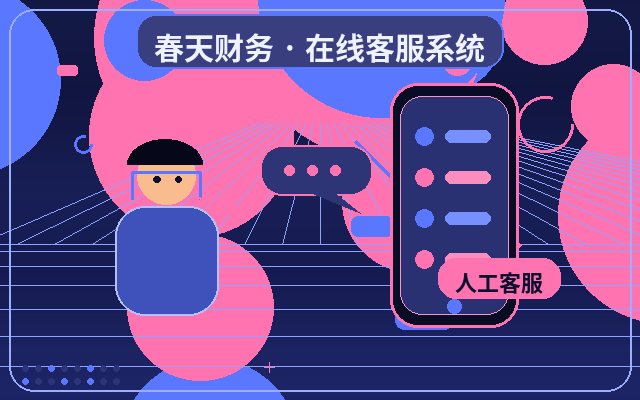
Additional Explanation: It does not completely replace humans but serves as the "first line of defense." When a visitor opens the website, the chat window automatically pops up with a greeting; when the visitor asks a question, the system automatically provides relevant answers based on a preset knowledge base or AI understanding. It combines the "immediacy" of live chat with the "automation" of contact forms, capturing leads even when human agents are offline and seamlessly transferring complex issues to human handling.
Which Approach Is More Suitable for My Business?
Direct Answer: It depends on your business nature, customer service team size, and budget. Businesses with high inquiry volumes, a focus on immediate conversions, or a need for professional explanations are better suited for live chat or smart auto-reply; for low inquiry volumes, standardized processes, and no need for instant communication, contact forms may suffice.
Additional Explanation: For industries like e-commerce, education and training, and business services that require frequent interaction and detailed product explanations, real-time communication tools are crucial. Smart auto-reply can handle most repetitive inquiries (e.g., pricing, features, working hours), freeing up human agents. For some B2B companies or brand showcase websites with long customer decision cycles, where initial lead collection is sufficient, contact forms are a low-cost option. However, more businesses are adopting a "smart auto-reply + human agent" combination to ensure no opportunity is missed.
Why Should You Consider Deploying Smart Auto-Reply?
Direct Answer: Primarily to address three pain points: unattended customers during non-business hours, repetitive questions consuming human resources, and lead loss.
Additional Explanation:
- Improve Reception Efficiency: AI can handle countless visitors simultaneously, answering standard questions and allowing human agents to focus on high-value inquiries.
- Increase Conversion Opportunities: Instant responses greatly enhance visitor experience, capturing their interest at its peak and encouraging lead submission or purchase.
- Reduce Operational Costs: Automating basic inquiries means covering longer service hours with fewer staff, especially beneficial for small and medium-sized businesses.
- Enable Lead Automation: The system can automatically identify customer intent during conversations (e.g., repeatedly asking about a product) and capture their contact information, completing initial lead screening and entry.
What Are Common Features of Smart Auto-Reply?
A well-functioning smart auto-reply system typically includes the following core modules:
| Feature Module | Primary Role | Value Provided |
|---|---|---|
| Auto Greeting & Trigger | Automatically pops up a greeting when visitors enter the site or browse specific pages, guiding the conversation. | Proactively initiates communication, increasing interaction rates. |
| Knowledge Base & AI Answers | Automatically understands and responds to common questions based on preset Q&A pairs or AI models. | Provides 24/7 instant responses, handling repetitive questions. |
| Multi-Turn Dialogue & Intent Recognition | Understands context, conducts multi-turn conversations, and identifies visitor intent (e.g., price inquiry, complaint). | Enhances conversation experience, accurately capturing business opportunities. |
| Seamless Transfer to Human | Automatically or manually transfers to an online human agent when the issue exceeds AI capabilities. | Ensures human-machine collaboration, resolving complex issues. |
| Auto Lead Capture & CRM Integration | Automatically captures or guides visitors to leave contact information during conversations, generating lead cards. | Automates lead collection, facilitating follow-up. |
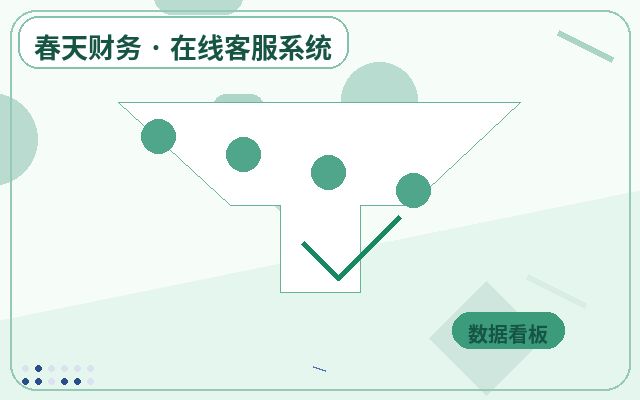
| Data Analysis & Backend Management | Records conversations, analyzes frequently asked questions, and tracks conversion data. | Optimizes knowledge base and customer service strategies, enabling data-driven decisions. |

What Is the Basic Process for Deploying Smart Auto-Reply?
Direct Answer: It typically includes four stages: needs assessment, tool selection, configuration and testing, and launch and operation.
Additional Explanation:
- Needs Assessment: Identify the core problems to solve (e.g., reducing nighttime lead loss), main inquiry types, and budget range.
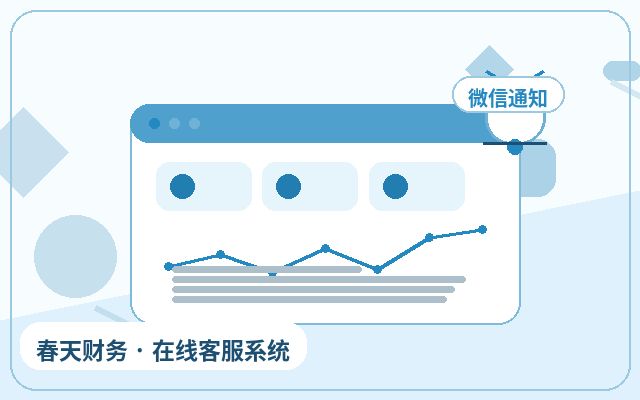
- Tool Selection: Choose a suitable customer service system. For example, some systems like Spring Online Customer Service offer a way to experience core features at a low cost, with a model of $25/month, unlimited human agent seats, and support for AI auto-reply and auto lead capture. After successful lead capture, notifications can be sent via WeChat to the responsible person. This model may be more suitable for small and medium-sized businesses to deploy their own customer service system at a low cost.
- Configuration and Testing: Build a knowledge base, set auto-reply rules, design conversation flows, and conduct integration testing with the website or app.
- Launch and Optimization: After going live, continuously monitor conversation logs, supplement and optimize the knowledge base based on actual Q&A, and adjust auto-reply strategies.
Frequently Asked Questions
Will Smart Auto-Reply Feel Too "Mechanical"?
Direct Answer: Early rule-based replies might feel mechanical, but modern AI-driven replies can be quite natural and human-like.
Additional Explanation: Through natural language processing (NLP) technology, the system can understand various phrasings of visitor questions and conduct contextual conversations. Businesses can also design dialogue scripts and welcome messages to make interactions more friendly. The key is to continuously optimize the knowledge base to make it "smarter."
Is Deployment Complicated? Do I Need Technical Support?
Direct Answer: Most mainstream SaaS-based customer service systems are very simple to deploy and usually do not require a dedicated technical team.
Additional Explanation: Most systems only require inserting a provided JS code snippet into the website backend. Knowledge base configuration and conversation flow settings are also done through visual interfaces, as simple as editing a document. Business or customer service staff can learn to manage it with minimal training.
Can Smart Auto-Reply Completely Replace Human Agents?
Direct Answer: No, and it shouldn't aim to. Its role is to be a powerful assistant and supplement to human agents.
Additional Explanation: Smart auto-reply excels at handling standardized, repetitive, and factual questions. For issues involving complex emotions, in-depth negotiations, or highly personalized problems, human agents' wisdom and experience are still needed. The ideal state is "AI first, human backup," achieving a balance between efficiency and experience.
Conclusion
Live chat and contact forms are not mutually exclusive options. Smart auto-reply technology is becoming a modern solution that combines the advantages of both. For most businesses pursuing growth and customer experience, a live chat system with smart auto-reply capabilities can more effectively handle traffic, convert opportunities, and improve service efficiency. When choosing, businesses should return to their own business scenarios and core needs, prioritizing tools that seamlessly connect human and intelligent functions and are easy to manage and scale. With proper configuration and continuous optimization, smart auto-reply will become an indispensable part of digital communication for businesses.
Which Businesses Are Suitable for Smart Auto-Reply?
It is typically suitable for service-oriented businesses, franchise companies, education and training, manufacturing websites, SaaS product websites, and local lifestyle service websites. As long as the website has consultation scenarios and aims to reduce missed connections and improve first-response experience, such systems usually have practical value.
Why Do Businesses Need Smart Auto-Reply?
The problem with many websites is not a lack of traffic, but that traffic is not promptly captured when it arrives. Short visitor dwell times, scattered consultation entry points, and no response during non-working hours directly impact lead generation and conversions. The greater role of smart auto-reply is to connect consultation reception and subsequent follow-up into a complete chain.